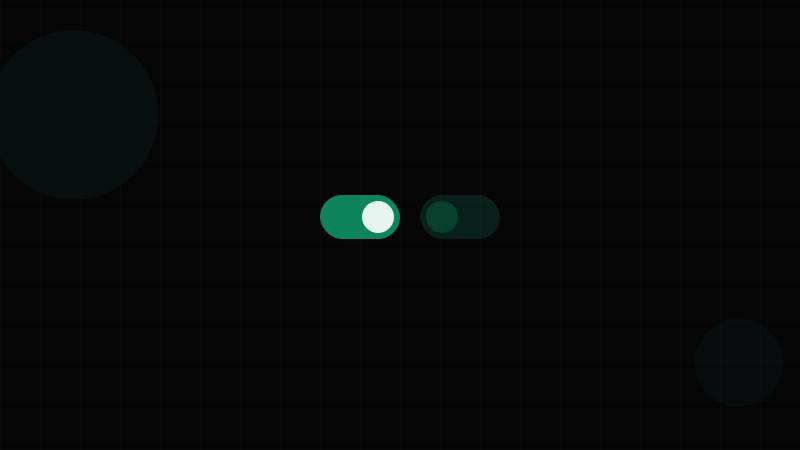
Overview
The Switch (also called a toggle, toggle switch, or binary switch) is a data input component that allows users to instantly toggle between two mutually exclusive states — typically "on" and "off." Unlike a Checkbox, which represents a selection that's applied later (often as part of a form submission), a switch takes effect immediately upon interaction.
This distinction — immediate effect vs. deferred submission — is the fundamental decision point between switch and checkbox. If flipping the control turns on dark mode right now, it's a switch. If checking a box marks "I agree to terms" and nothing happens until the user clicks Submit, it's a checkbox.
Switches are ubiquitous in settings interfaces. iOS popularized the pattern with its rounded, sliding toggle, and it's now standard across every platform: Android's Material switches, Windows Settings toggles, macOS System Preferences, and virtually every SaaS application's preferences page.
When to use a Switch:
- Settings that take effect immediately (dark mode, notifications, auto-save)
- Feature toggles that enable/disable functionality in real time
- Visibility controls ("Show advanced options," "Enable experimental features")
- Any binary choice where the result is instant and doesn't require form submission
When NOT to use a Switch:
- Form fields that require explicit submission — use a Checkbox
- Selecting from more than two options — use a Select or radio group
- Actions that aren't binary or toggleable — use a Button
- When the "off" state needs a distinct label (e.g., "Monthly / Annual") — use a segmented control or Tabs
Preview your switch's thumb slide animation with the Animation & Easing Tool and its track transition with the Transition Generator. Verify on/off color contrast with the Contrast Checker.
Variants
Visual Variants
| Variant | Description | Common In |
|---|---|---|
| Standard | Pill-shaped track with a circular thumb that slides left/right. | iOS, Android, virtually all modern UIs |
| With Icons | Thumb or track includes ✓/✕ icons or sun/moon symbols. | Accessibility-focused designs, dark mode toggles |
| With Labels | "On" / "Off" text inside the track. | Enterprise UIs, when the state must be unambiguous |
| Square | Square or rounded-square thumb and track. | Windows-style, some enterprise systems |
| Compact | Smaller track and thumb for dense UIs. | Table rows, settings lists with many items |
Size Variants
| Size | Track Width | Track Height | Thumb Diameter | Use Case |
|---|---|---|---|---|
| sm | 32px | 18px | 14px | Dense settings lists, table cells |
| md | 44px | 24px | 20px | Default for most interfaces |
| lg | 56px | 30px | 26px | Mobile-first, touch-heavy UIs, prominent settings |
Color Variants
| State | Track Color | Thumb Color | Notes |
|---|---|---|---|
| Off | Neutral gray (--color-neutral-300) | White | The "off" track should be clearly distinguishable from "on" without relying solely on color — add icons or labels if needed (WCAG 1.4.1). |
| On | Brand primary or green (--color-primary-500 / --color-success-500) | White | Green is the most universally understood "on" color, but brand colors work too. |
| Disabled Off | Light gray (--color-neutral-200) | Light gray | Reduced opacity or muted colors. Cursor: not-allowed. |
| Disabled On | Muted primary | Light gray or muted white | Must remain distinguishable as "on" even in disabled state. |
Verify that your on/off track colors meet 3:1 non-text contrast against the background (WCAG 1.4.11) using the Contrast Checker.
Properties
Switch Properties
| Property | Type | Default | Description |
|---|---|---|---|
checked | boolean | false | Controlled state — whether the switch is on or off |
defaultChecked | boolean | false | Uncontrolled initial state |
onChange | (checked: boolean) => void | — | Callback fired when the switch toggles. This is where you apply the immediate effect. |
disabled | boolean | false | Prevents interaction. Applies dimmed styling and not-allowed cursor. |
size | 'sm' | 'md' | 'lg' | 'md' | Controls track and thumb dimensions |
label | string | — | Visible label text. Always provide one — unlabeled switches are inaccessible. |
labelPosition | 'left' | 'right' | 'right' | Position of the label relative to the switch |
id | string | auto-generated | Connects the <label> to the <input> via htmlFor |
name | string | — | Form field name (if used within a form) |
required | boolean | false | Marks the field as required |
aria-label | string | — | Accessible label when no visible label is present. Use label prop instead whenever possible. |
aria-describedby | string | — | ID of an element providing additional description |
thumbIcon | ReactNode | { on: ReactNode; off: ReactNode } | — | Icon rendered inside the thumb. Can differ between on/off states. |
Critical: The onChange handler should apply the effect immediately — no "Save" button required. This is the contract of a switch. If you need deferred application, use a Checkbox instead.
Token Mappings
Design Token Mappings
Switches touch color, spacing, border-radius, and transition tokens. For token architecture, see the Design Tokens Complete Guide.
| Token Category | Token Example | Switch Usage |
|---|---|---|
| Color – Track Off | --color-neutral-300 | Off-state track background |
| Color – Track On | --color-primary-500 | On-state track background |
| Color – Thumb | --color-white | Thumb fill (both states) |
| Color – Disabled | --color-neutral-200 | Disabled track background |
| Border – Track | --color-neutral-400 | Optional border on the track for extra definition |
| Border Radius | --radius-full (9999px) | Both track and thumb use full rounding. |
| Shadow – Thumb | --shadow-sm | Subtle shadow on the thumb for elevation |
| Spacing – Thumb Inset | 2px | Gap between thumb edge and track edge |
| Spacing – Label Gap | --space-2 (8px) | Gap between switch and label text |
| Transition – Thumb | --duration-fast (150ms), --ease-out | Thumb slide animation. Preview in Transition Generator. |
| Transition – Track Color | --duration-fast (150ms) | Track color change animation |
| Typography – Label | --font-size-sm / --font-size-md | Label text sizing |
Thumb Translation Calculation
The thumb's translateX distance on toggle = trackWidth - thumbDiameter - (2 × inset). For an md switch: 44 - 20 - 4 = 20px. This ensures the thumb lands flush against the opposite edge.
States
Switch States
| State | Visual Behavior | Implementation |
|---|---|---|
| Off (Unchecked) | Thumb positioned left, track gray. | checked={false}. Thumb at translateX(0). |
| On (Checked) | Thumb slides right, track transitions to active color. | checked={true}. Thumb at translateX(Npx). Track background transitions. |
| Hover | Subtle highlight on thumb or track. Cursor: pointer. | :hover — add a subtle shadow, scale, or background shift on the thumb. |
| Focus-Visible | Focus ring around the track or thumb. | :focus-visible — 2px offset ring using --color-focus-ring. Must be visible per WCAG 2.4.7. |
| Active (Pressed) | Thumb slightly enlarges or compresses horizontally during drag. | :active — scale thumb to 1.1× or widen it slightly (Material Design's "squeeze" effect). |
| Disabled Off | Dimmed track and thumb. No cursor. No interaction. | disabled attribute. Reduce opacity to 0.5 or use muted colors. |
| Disabled On | Dimmed but still visually "on" — muted active color. | Same as above, but track retains a muted version of the on-color so state is still readable. |
| Loading | Spinner inside or beside the switch while the async toggle processes. | Show a small Spinner next to the switch and disable interaction until complete. |
Transition Details
The switch toggle is a composed animation with two simultaneous transitions:
- Thumb position:
transform: translateX(0)→translateX(20px)(or reverse). Duration: 150–200ms. Easing:ease-outor spring. - Track color:
background-colortransitions from gray to active color. Duration: 150ms. Timing: simultaneous with thumb movement.
Preview these transitions with the Transition Generator and fine-tune easing curves in the Animation & Easing Tool.
Accessibility
Accessibility — Switch
Switches map directly to the role="switch" ARIA pattern, introduced in WAI-ARIA 1.1. This role explicitly conveys the toggle semantics — something that role="checkbox" only approximates. Validate your switch colors with the Contrast Checker.
ARIA Pattern
<!-- Native implementation using checkbox with switch role -->
<label class="switch">
  <input type="checkbox"
         role="switch"
         aria-checked="true"
         id="dark-mode">
  <span class="switch-track">
    <span class="switch-thumb"></span>
  </span>
  <span class="switch-label">Dark mode</span>
</label>

<!-- Button-based implementation -->
<button role="switch"
        aria-checked="false"
        aria-label="Enable notifications"
        id="notifications-toggle">
  <span class="switch-track">
    <span class="switch-thumb"></span>
  </span>
</button>
Key points:
- Use
role="switch"— it tells AT this is a toggle, not a checkbox. Screen readers announce "Dark mode, switch, on" instead of "Dark mode, checkbox, checked." - Use
aria-checked(notcheckedattribute alone) withrole="switch"to communicate state. - Both
<input type="checkbox" role="switch">and<button role="switch">are valid implementations. - The switch MUST have a label — either via
<label>association,aria-label, oraria-labelledby.
WCAG Success Criteria
| Criterion | Level | Requirement for Switches |
|---|---|---|
| 1.3.1 Info and Relationships (A) | A | Use role="switch" and aria-checked to convey toggle semantics and state programmatically. |
| 1.4.1 Use of Color (A) | A | Don't rely solely on track color to communicate on/off state. Add icons (✓/✕), labels ("On"/"Off"), or thumb position changes. |
| 1.4.3 Contrast (Minimum) (AA) | AA | Label text must have 4.5:1 contrast. Use the Contrast Checker. |
| 1.4.11 Non-text Contrast (AA) | AA | The switch track must have 3:1 contrast against the page background in both on and off states. The thumb must have 3:1 against the track. |
| 2.1.1 Keyboard (A) | A | Switch must be operable with Space (toggle) and reachable with Tab. Enter should also toggle (if using <button>). |
| 2.4.7 Focus Visible (AA) | AA | A clearly visible focus indicator must appear when the switch receives keyboard focus. |
| 3.2.2 On Input (A) | A | The switch triggers an immediate change — this is expected behavior for role="switch" and doesn't violate this SC as long as the user initiates the toggle. |
| 4.1.2 Name, Role, Value (A) | A | Name (label), role (switch), and value (aria-checked) must be programmatically determinable. |
Switch vs. Checkbox Decision
| Factor | Switch | Checkbox |
|---|---|---|
| Effect timing | Immediate | Deferred (requires form submission) |
| ARIA role | role="switch" | role="checkbox" (implicit) |
| Keyboard | Space to toggle | Space to toggle |
| Use case | Settings, preferences, feature toggles | Form fields, agreements, multi-select |
| Mental model | Physical light switch | Paper checklist |
Usage Guidelines
Do
- Apply the effect immediately when the switch toggles. This is the fundamental UX contract. No "Save Changes" button should be required.
- Always include a visible label. Never present a standalone switch without text explaining what it controls.
- Use positive framing for labels: "Enable notifications" rather than "Disable notifications." Negatively-framed switches create double-negative confusion ("disable is off" = "notifications are on?").
- Place the label to the right of the switch (or left in RTL layouts). This follows the natural reading order.
- Add icons (✓/✕ or custom) inside the thumb or track to reinforce state beyond color alone, improving accessibility for colorblind users.
- Provide immediate visual feedback — the toggle animation should complete within 150–200ms. Preview in the Transition Generator.
- Show a loading state for async toggles (e.g., toggling a server-side setting). Disable the switch and show a small spinner until the request completes.
- Handle errors gracefully for async toggles — if the API call fails, revert the switch to its previous state and show an error Toast.
Don't
- Don't use a switch for form fields that require explicit submission. That's a Checkbox.
- Don't use switches for multi-option selection. Use checkboxes for multiple choices, radio buttons for single choice.
- Don't use negative labels. "Disable auto-save" with a switch creates confusion about what "on" means.
- Don't group many switches without clear sections. A settings page with 20 unlabeled switches is overwhelming. Group with headings and dividers.
- Don't change the page layout dramatically when a switch toggles. Switches should modify behavior or appearance, not restructure the UI.
- Don't use a switch for destructive actions. Toggling "Delete my account" would be terrifying. Use a Button with a confirmation Dialog.
Async Toggle Pattern
For server-side settings, the switch must handle network latency:
- User toggles switch → Switch visually moves, shows loading spinner
- API call succeeds → Remove spinner, switch stays in new position
- API call fails → Revert switch to previous position, show error Toast
This "optimistic update with rollback" pattern provides instant feedback while maintaining data integrity.
Code Snippets
<!-- Basic Switch -->
<label class="switch" for="darkMode">
  <input type="checkbox" role="switch" id="darkMode"
         aria-checked="false">
  <span class="switch-track">
    <span class="switch-thumb"></span>
  </span>
  <span class="switch-text">Dark mode</span>
</label>

<!-- Switch with icons -->
<label class="switch" for="notifications">
  <input type="checkbox" role="switch" id="notifications"
         aria-checked="true" checked>
  <span class="switch-track switch-track--with-icons">
    <span class="switch-icon switch-icon--on" aria-hidden="true">✓</span>
    <span class="switch-icon switch-icon--off" aria-hidden="true">✕</span>
    <span class="switch-thumb"></span>
  </span>
  <span class="switch-text">Notifications</span>
</label>

<!-- Disabled Switch -->
<label class="switch switch--disabled" for="beta">
  <input type="checkbox" role="switch" id="beta"
         aria-checked="false" disabled>
  <span class="switch-track">
    <span class="switch-thumb"></span>
  </span>
  <span class="switch-text">Beta features (coming soon)</span>
</label>

<style>
  .switch {
    display: inline-flex;
    align-items: center;
    gap: 8px;
    cursor: pointer;
    user-select: none;
  }
  .switch input {
    position: absolute;
    opacity: 0;
    width: 0; height: 0;
  }
  .switch-track {
    position: relative;
    width: 44px;
    height: 24px;
    background: var(--color-neutral-300);
    border-radius: 9999px;
    transition: background-color 150ms ease-out;
  }
  .switch-thumb {
    position: absolute;
    top: 2px;
    left: 2px;
    width: 20px;
    height: 20px;
    background: white;
    border-radius: 50%;
    box-shadow: 0 1px 3px rgba(0,0,0,0.2);
    transition: transform 150ms ease-out;
  }
  .switch input:checked + .switch-track {
    background: var(--color-primary-500);
  }
  .switch input:checked + .switch-track .switch-thumb {
    transform: translateX(20px);
  }
  .switch input:focus-visible + .switch-track {
    outline: 2px solid var(--color-focus-ring);
    outline-offset: 2px;
  }
  .switch--disabled {
    cursor: not-allowed;
    opacity: 0.5;
  }
  .switch-text {
    font-size: 14px;
    color: var(--color-text-primary);
  }
</style>import { forwardRef, useId } from "react";
interface SwitchProps {
checked?: boolean;
defaultChecked?: boolean;
onChange?: (checked: boolean) => void;
disabled?: boolean;
size?: "sm" | "md" | "lg";
label?: string;
labelPosition?: "left" | "right";
id?: string;
name?: string;
className?: string;
}
const sizes = {
sm: { track: { w: 32, h: 18 }, thumb: 14, translate: 14 },
md: { track: { w: 44, h: 24 }, thumb: 20, translate: 20 },
lg: { track: { w: 56, h: 30 }, thumb: 26, translate: 26 },
};
export const Switch = forwardRef<HTMLInputElement, SwitchProps>(
(
{
checked,
defaultChecked = false,
onChange,
disabled = false,
size = "md",
label,
labelPosition = "right",
id: externalId,
name,
className,
...props
},
ref
) => {
const autoId = useId();
const id = externalId ?? autoId;
const s = sizes[size];
const labelEl = label && (
<span style={{ fontSize: size === "sm" ? 13 : 14 }}>{label}</span>
);
return (
<label
htmlFor={id}
className={className}
style={{
display: "inline-flex",
alignItems: "center",
gap: 8,
cursor: disabled ? "not-allowed" : "pointer",
opacity: disabled ? 0.5 : 1,
}}
>
{labelPosition === "left" && labelEl}
<input
ref={ref}
type="checkbox"
role="switch"
id={id}
name={name}
checked={checked}
defaultChecked={defaultChecked}
disabled={disabled}
onChange={(e) => onChange?.(e.target.checked)}
style={{ position: "absolute", opacity: 0, width: 0, height: 0 }}
{...props}
/>
<span
style={{
position: "relative",
width: s.track.w,
height: s.track.h,
borderRadius: 9999,
background: (checked ?? defaultChecked)
? "var(--color-primary-500)"
: "var(--color-neutral-300)",
transition: "background-color 150ms ease-out",
}}
>
<span
style={{
position: "absolute",
top: 2,
left: 2,
width: s.thumb,
height: s.thumb,
background: "white",
borderRadius: "50%",
boxShadow: "0 1px 3px rgba(0,0,0,0.2)",
transform: (checked ?? defaultChecked)
? `translateX(${s.translate}px)`
: "translateX(0)",
transition: "transform 150ms ease-out",
}}
/>
</span>
{labelPosition === "right" && labelEl}
</label>
);
}
);
Switch.displayName = "Switch";Design Systems
Design System Implementations
Material Design 3 significantly redesigned its switch in Material 3 (Material You). The new switch uses a larger thumb that changes size when toggled: 16px when off, 24px when on. This size difference provides an additional non-color cue for state — a smart accessibility enhancement. The track also has a visible border in the off state that disappears when on. Material 3 supports icons inside the thumb (configurable for both states) and includes a "selected + pressed" state where the thumb grows even larger.
Apple Human Interface Guidelines define the switch as a pill track with a circular thumb that slides. iOS's switch is 51×31px with no label text inside the track — the state is communicated entirely through position (left/right) and color (green/gray). Apple explicitly recommends against adding text labels inside the track, arguing that the thumb position is sufficient. Apple also mandates that switches always take effect immediately — no form submission pattern.
Ant Design's Switch supports checkedChildren and unCheckedChildren — React nodes rendered inside the track when on/off (commonly "1"/"0" or icons). It also supports loading (shows a spinner inside the thumb) and integrates with Ant's form system. The size prop offers "default" and "small."
Radix UI provides a Switch primitive with Root (the track/input) and Thumb (the sliding element). It uses role="switch" and aria-checked natively, handles keyboard interaction (Space to toggle), and is completely unstyled. The separation of Root and Thumb gives full control over animation and styling.
Chakra UI's Switch is built on a checkbox internally but renders as a switch visually. It supports colorScheme for the on-state color, size (sm/md/lg), and integrates with Chakra's form control system (label, helper text, error message). It uses role="checkbox" rather than role="switch" — a pragmatic choice for broader AT compatibility, though role="switch" is now well-supported.
Headless UI (Tailwind) provides a Switch component that's fully accessible with role="switch", aria-checked, keyboard support, and a render-prop API. No styles — you build the visual entirely with Tailwind classes. It supports Switch.Group, Switch.Label, and Switch.Description for compound labeling.
Preview switch animations and easing curves in the Transition Generator and the Animation & Easing Tool.