Overview
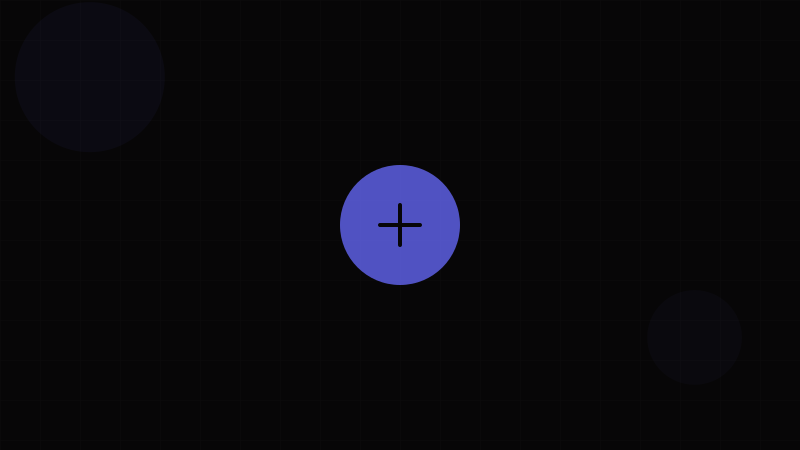
The Floating Action Button (FAB) is a circular button that hovers above the interface to promote the single most important action on a screen. Popularized by Material Design, the FAB occupies a fixed position (typically bottom-right) and uses elevation, color, and size to stand out from all other elements.
The FAB represents a design philosophy: every screen should have a clear primary action, and that action should be immediately accessible regardless of scroll position. A compose button in an email app, a create button in a project tool, or an add-to-cart button in a product detail page — these are classic FAB use cases.
When to use a FAB:
- For the single most important constructive action on a screen (create, compose, add)
- When the primary action should remain accessible during scrolling
- On mobile interfaces where screen real estate is limited and the primary CTA needs prominence
When NOT to use a FAB:
- When there are multiple equally important actions — FABs are inherently singular
- For destructive actions (delete, remove) — a FAB should feel constructive and positive
- On screens where the primary action is already visible in the top bar or content area
- On desktop layouts with ample space for standard Buttons — FABs can feel out of place
- For navigation — use a Navigation Bar or Sidebar
The FAB's visual prominence relies on elevation. Use the Shadow Generator to craft the right box-shadow — typically --shadow-lg or higher. The FAB's circular shape means border-radius is always 50% or large enough to create a circle, which you can preview with the Border Radius Generator. Ensure the FAB icon or label contrasts against its background with the Contrast Checker. For the entrance animation, explore easing curves with the Animation Generator.
Variants
Common FAB Variants
| Variant | Size | Content | Use Case |
|---|---|---|---|
| Standard FAB | 56px diameter | Icon only | Default primary action button |
| Mini FAB | 40px diameter | Icon only | Secondary floating action, or when standard FAB is too visually heavy |
| Extended FAB | Auto width, 48–56px height | Icon + label text | When the action needs textual clarification ("New message", "Create project") |
| Large FAB | 96px diameter | Large icon (36px) | Landing pages, hero sections, rare emphasis situations |
Position Variants
| Position | CSS | Use Case |
|---|---|---|
| Bottom-right | bottom: 16px; right: 16px; | Default position. Most common. Right-hand thumb reach on mobile. |
| Bottom-center | bottom: 16px; left: 50%; transform: translateX(-50%); | Centered layouts, music players, media controls |
| Bottom-left | bottom: 16px; left: 16px; | RTL layouts, or when bottom-right is occupied |
| Top-right | top: 16px; right: 16px; | Rarely used. Conflicts with navigation and close buttons. |
Speed Dial (Expandable FAB)
The Speed Dial pattern transforms the FAB into a launcher for 3–6 related actions:
| State | Behavior |
|---|---|
| Collapsed | Single FAB with primary icon (e.g., +) |
| Expanded | FAB icon rotates to ×, mini-FABs fan out vertically above with labels |
| Action selected | Speed dial collapses, selected action executes |
Speed dial actions should be labeled — a row of unlabeled icon circles is confusing. Each mini-FAB should have a text label positioned to the side.
Properties
FAB Properties
| Property | Type | Default | Description |
|---|---|---|---|
variant | 'standard' | 'mini' | 'extended' | 'large' | 'standard' | Size and shape variant |
color | 'primary' | 'secondary' | 'surface' | 'primary' | Background color theme |
icon | ReactNode | — | Icon element (required for all variants) |
label | string | — | Text label (required for extended variant, serves as aria-label for icon-only) |
position | 'bottom-right' | 'bottom-center' | 'bottom-left' | 'bottom-right' | Fixed screen position |
offset | { bottom?: number; right?: number; left?: number } | { bottom: 16, right: 16 } | Position offset in pixels |
visible | boolean | true | Controls visibility with entrance/exit animation |
disabled | boolean | false | Disables interaction |
onClick | () => void | — | Click handler |
externalWindow | boolean | false | When true, adjusts position to account for bottom navigation bars |
as | ElementType | 'button' | Polymorphic element override |
Important: Every FAB MUST have an accessible label. For icon-only FABs, provide aria-label. For extended FABs, the visible label text serves as the accessible name. The Button component page covers additional button prop patterns that apply to FABs.
Token Mappings
Design Token Mappings
| Token Category | Token Example | FAB Usage |
|---|---|---|
| Color – Fill | --color-primary-500 | Standard FAB background. Use a vibrant, high-saturation value. |
| Color – Text/Icon | --color-on-primary | Icon and label color on filled FAB |
| Color – Surface | --color-surface-elevated | Surface-colored FAB variant |
| Shadow – Resting | --shadow-lg | Resting elevation — FABs need prominent shadow. Design with Shadow Generator. |
| Shadow – Hover | --shadow-xl | Elevated shadow on hover — shadow grows to indicate interactivity |
| Shadow – Active | --shadow-md | Reduced shadow on press — "pushes down" into the surface |
| Border – Radius | 50% or --radius-full | Always fully circular for standard/mini/large. Extended uses pill radius. Preview with Border Radius Generator. |
| Sizing – Standard | 56px | Standard FAB diameter |
| Sizing – Mini | 40px | Mini FAB diameter |
| Sizing – Large | 96px | Large FAB diameter |
| Sizing – Extended Height | 48px – 56px | Extended FAB height |
| Spacing – Padding | --space-4 (16px) | Horizontal padding for extended FAB label area |
| Spacing – Gap | --space-2 (8px) | Gap between icon and label in extended variant |
| Transition – Transform | --duration-normal (200ms), cubic-bezier(0.4, 0, 0.2, 1) | Entrance/exit scale animation. Tune with Animation Generator. |
| Z-Index | --z-fab (typically 1050–1100) | Above content, below modals and drawers |
States
FAB States
| State | Visual Treatment | Notes |
|---|---|---|
| Default | Brand color fill, icon centered, large shadow | The resting floating state |
| Hover | Shadow grows (shadow-lg → shadow-xl), optional slight scale (1.05) | Elevation change communicates interactivity |
| Active/Pressed | Shadow shrinks (shadow-lg → shadow-md), slight scale-down (0.95) | "Press into surface" tactile feedback |
| Focused | Focus ring — offset from the circular boundary to avoid clipping | Must be visible for keyboard users. Use outline-offset: 3px. |
| Disabled | Muted colors, no shadow, cursor: not-allowed | FABs should rarely be disabled — prefer hiding or showing a tooltip explaining why |
| Loading | Spinner replaces icon, interaction blocked | Show a circular spinner matching the FAB's size |
| Entering | Scale from 0 → 1 with ease-out curve | Animate in with Animation Generator curves. Respect prefers-reduced-motion. |
| Exiting | Scale from 1 → 0 with ease-in curve | Animate out before DOM removal |
Scroll Behavior
| Behavior | Implementation | Use Case |
|---|---|---|
| Always visible | Fixed position, no scroll logic | Default — FAB stays visible always |
| Hide on scroll down | Translate off-screen when scrollDirection === 'down' | Reduces visual clutter during content consumption |
| Show on scroll up | Translate back when scrollDirection === 'up' | Re-appears when user wants to act |
| Transform to extended | Collapse extended → standard on scroll, expand on stop | Saves space while scrolling, shows label when idle |
Accessibility
Accessibility
FABs introduce unique accessibility challenges due to their floating, fixed position and reliance on icons.
Labeling (WCAG 4.1.2 – Name, Role, Value):
- Icon-only FABs MUST have
aria-labelproviding a clear action description:aria-label="Compose new message", notaria-label="Plus" - Extended FABs use the visible label text as their accessible name — no additional
aria-labelneeded unless the label is ambiguous - Speed dial mini-FABs each need individual
aria-labelvalues describing their specific action
Keyboard Access (WCAG 2.1.1 – Keyboard):
- FABs must be keyboard-focusable and activatable with Enter/Space
- The FAB should be in the natural tab order — avoid
tabindexvalues above 0. Place the FAB element after the main content in DOM order so it appears at the end of the tab sequence. - Speed dial: when expanded, Tab/Shift-Tab moves between mini-FABs. Escape closes the speed dial. The trigger FAB should be focused when speed dial closes.
Focus Visibility (WCAG 2.4.7 – Focus Visible):
- The focus ring on a circular FAB requires
outline-offsetto prevent clipping byborder-radius: 50%combined withoverflow: hidden - Test focus visibility against both the FAB color AND the content behind it — the FAB is positioned over varying backgrounds
Color Contrast (WCAG 1.4.3 – Contrast Minimum):
- FAB icon must achieve 4.5:1 against the FAB background (icons carrying meaning are treated as text per WCAG). Use the Contrast Checker.
- The FAB itself should achieve 3:1 against the content behind it (WCAG 1.4.11 – Non-text Contrast), but since FABs use strong fill colors and shadows, this is rarely an issue
Motion (WCAG 2.3.3 – Animation from Interactions):
- Entrance/exit animations, scroll-triggered hide/show, and speed dial expansion must respect
prefers-reduced-motion: reduce - With reduced motion: skip scale/slide animations, use instant opacity transitions or no animation
- Speed dial expansion should use opacity instead of transform when reduced motion is preferred
Overlap Concerns:
- FABs float over content — ensure they don't permanently cover important UI elements, interactive controls, or text
- On small screens, the FAB can obscure the last list item. Add bottom padding (
padding-bottom: 80px) to scrollable containers - FABs must not cover cookie banners, chat widgets, or other persistent UI — coordinate z-index layers
Usage Guidelines
Usage Guidelines
Do:
- Limit to one FAB per screen. Multiple floating buttons create visual chaos and competing CTAs.
- Use the FAB for constructive, positive actions: create, compose, add, upload
- Include a prominent shadow — FABs depend on elevation to float visually above content. Use the Shadow Generator.
- Add entrance animation to signal the FAB's appearance after page load. Configure with the Animation Generator.
- Hide the FAB on scroll-down to reduce visual clutter and reveal it on scroll-up
- Use the extended variant when the icon alone is ambiguous — "New" or "Compose" text eliminates guesswork
Don't:
- Don't use a FAB for destructive actions (delete, remove, archive) — the FAB's visual prominence and positive associations make destructive actions feel wrong
- Don't use a FAB for actions already visible in the UI — it creates redundancy
- Don't place FABs over navigation bars, bottom sheets, or other interactive elements
- Don't animate the FAB continuously (pulsing, bouncing) to draw attention — this is distracting and violates WCAG 2.2.2 (Pause, Stop, Hide)
- Don't use more than 6 actions in a speed dial — if you need more, use a Dropdown Menu or Drawer
- Don't skip the shadow — a FAB without shadow looks like a misplaced button stuck to the screen
Code Snippets
<!-- Standard FAB -->
<button class="fab" aria-label="Create new item">
  <svg class="fab-icon" aria-hidden="true" viewBox="0 0 24 24">
    <path d="M12 5v14M5 12h14" stroke="currentColor" stroke-width="2" stroke-linecap="round"/>
  </svg>
</button>

<!-- Extended FAB -->
<button class="fab fab--extended">
  <svg class="fab-icon" aria-hidden="true" viewBox="0 0 24 24">
    <path d="M12 5v14M5 12h14" stroke="currentColor" stroke-width="2" stroke-linecap="round"/>
  </svg>
  <span class="fab-label">New message</span>
</button>

<!-- Mini FAB -->
<button class="fab fab--mini" aria-label="Add attachment">
  <svg class="fab-icon" aria-hidden="true" viewBox="0 0 24 24">
    <path d="M12 5v14M5 12h14" stroke="currentColor" stroke-width="2" stroke-linecap="round"/>
  </svg>
</button>

<style>
.fab {
  position: fixed;
  bottom: 16px;
  right: 16px;
  width: 56px;
  height: 56px;
  border-radius: 50%;
  border: none;
  background: var(--color-primary-500);
  color: var(--color-on-primary);
  cursor: pointer;
  display: flex;
  align-items: center;
  justify-content: center;
  box-shadow: 0 6px 10px rgba(0,0,0,0.14),
              0 1px 18px rgba(0,0,0,0.12),
              0 3px 5px rgba(0,0,0,0.2);
  transition: box-shadow 0.2s ease, transform 0.2s ease;
  z-index: 1050;
}

.fab:hover {
  box-shadow: 0 8px 15px rgba(0,0,0,0.18),
              0 3px 24px rgba(0,0,0,0.15),
              0 4px 8px rgba(0,0,0,0.22);
  transform: scale(1.05);
}

.fab:active {
  box-shadow: 0 4px 6px rgba(0,0,0,0.12),
              0 1px 10px rgba(0,0,0,0.1);
  transform: scale(0.95);
}

.fab:focus-visible {
  outline: 2px solid var(--color-primary-300);
  outline-offset: 3px;
}

.fab-icon {
  width: 24px;
  height: 24px;
}

.fab--mini {
  width: 40px;
  height: 40px;
}

.fab--mini .fab-icon {
  width: 20px;
  height: 20px;
}

.fab--extended {
  width: auto;
  border-radius: 28px;
  padding: 0 20px;
  gap: 8px;
}

.fab-label {
  font-size: 0.875rem;
  font-weight: 500;
  letter-spacing: 0.02em;
  white-space: nowrap;
}

@media (prefers-reduced-motion: reduce) {
  .fab {
    transition: none;
  }
}
</style>import React, { useState, useEffect } from 'react';
import styles from './FAB.module.css';
import clsx from 'clsx';
interface FABProps {
variant?: 'standard' | 'mini' | 'extended' | 'large';
color?: 'primary' | 'secondary' | 'surface';
icon: React.ReactNode;
label?: string;
position?: 'bottom-right' | 'bottom-center' | 'bottom-left';
offset?: { bottom?: number; right?: number; left?: number };
visible?: boolean;
disabled?: boolean;
onClick?: () => void;
'aria-label'?: string;
}
export function FAB({
variant = 'standard',
color = 'primary',
icon,
label,
position = 'bottom-right',
offset = { bottom: 16, right: 16 },
visible = true,
disabled = false,
onClick,
'aria-label': ariaLabel,
}: FABProps) {
const [scrollVisible, setScrollVisible] = useState(true);
const isExtended = variant === 'extended';
useEffect(() => {
let lastScrollY = window.scrollY;
const handleScroll = () => {
const currentY = window.scrollY;
setScrollVisible(currentY < lastScrollY || currentY < 100);
lastScrollY = currentY;
};
window.addEventListener('scroll', handleScroll, { passive: true });
return () => window.removeEventListener('scroll', handleScroll);
}, []);
const isVisible = visible && scrollVisible;
const positionStyles: React.CSSProperties = {
position: 'fixed',
bottom: offset.bottom,
...(position === 'bottom-right' && { right: offset.right }),
...(position === 'bottom-left' && { left: offset.left }),
...(position === 'bottom-center' && {
left: '50%',
transform: 'translateX(-50%)',
}),
};
return (
<button
className={clsx(styles.fab, styles[variant], styles[color], {
[styles.hidden]: !isVisible,
})}
style={positionStyles}
onClick={onClick}
disabled={disabled}
aria-label={isExtended ? undefined : (ariaLabel || label)}
>
<span className={styles.icon} aria-hidden="true">{icon}</span>
{isExtended && label && (
<span className={styles.label}>{label}</span>
)}
</button>
);
}Design Systems
Design System Implementations
Material Design (MUI) is the origin of the FAB pattern. MUI provides <Fab> with size (small, medium, large), color (default, primary, secondary, inherit), and variant (circular, extended). The <SpeedDial> component implements the expandable pattern with <SpeedDialAction> children. MUI handles elevation transitions (resting: 6dp, pressed: 12dp), the circular ripple effect, and prefers-reduced-motion. The FAB respects the theme's shape.borderRadius for extended variant and uses palette.primary for the fill. MUI recommends one FAB per screen and provides the sx prop for position overrides. Use the Shadow Generator to customize MUI's elevation values.
Ant Design does not include a FAB component in its core library historically. The pattern is less common in enterprise/B2B applications (Ant's primary audience). Teams needing a FAB in Ant Design projects typically create a custom component using Ant's <Button type="primary" shape="circle"> with fixed positioning and custom shadows. The <FloatButton> component was added in Ant Design v5, supporting type (primary, default), shape (circle, square), tooltip, and a <FloatButton.Group> for speed-dial-like expansion.
Chakra UI does not include a dedicated FAB. Developers compose one using <IconButton isRound> with position="fixed" and Chakra's shadow tokens (shadow="lg"). Chakra's useDisclosure hook handles speed dial open/close state. The animation can be handled via Chakra's <ScaleFade> or Framer Motion integration.
Bootstrap has no FAB component. The pattern can be built with Bootstrap's .btn .btn-primary .rounded-circle classes, position-fixed, and utility classes for bottom/end positioning. Bootstrap's .shadow-lg class provides the elevation. This is a purely custom implementation with no JavaScript support from Bootstrap.
Apple Human Interface Guidelines does not endorse the FAB pattern. Apple's design language uses navigation bars, toolbars, and tab bars for primary actions. The closest equivalent is the compose button in Mail (a bottom-right floating circle on iPad/iPhone), but Apple treats this as a specific app-level decision, not a general-purpose component. In SwiftUI, there is no FAB view — developers use a Button with .clipShape(Circle()) and manual overlay positioning.
Tailwind CSS FABs are built with utility classes: fixed bottom-4 right-4 w-14 h-14 rounded-full bg-indigo-600 text-white shadow-lg hover:shadow-xl active:shadow-md transition-all flex items-center justify-center. For the entrance animation, animate-scale-up can be defined in tailwind.config.js. Headless UI and Radix provide no FAB primitive — it's considered an application-level pattern rather than a design system primitive. Configure entrance timing with the Animation Generator.