Overview
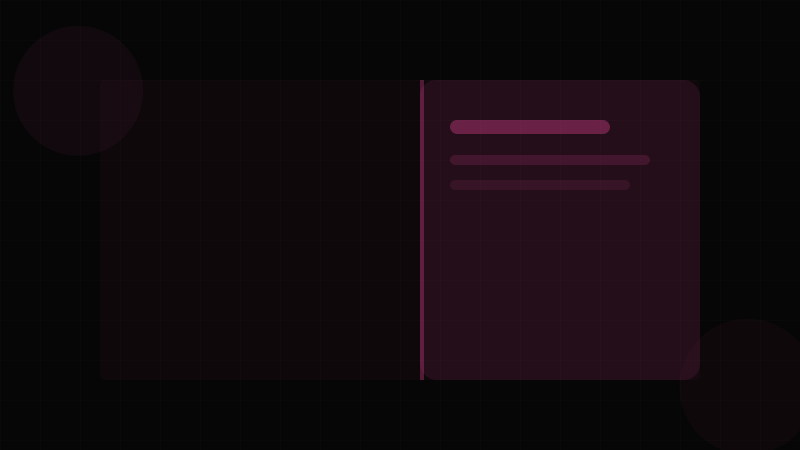
The Drawer (also called Sheet, Side Panel, or Bottom Sheet) is an overlay panel that slides in from the edge of the viewport — typically from the right, left, or bottom. It provides a focused workspace for secondary tasks without fully removing the user from the current context.
Drawers occupy the middle ground between Popovers (lightweight, anchored) and Dialogs (blocking, centered). A Drawer maintains spatial continuity — the user can still see the underlying page peeking out, which provides orientation context. This makes Drawers ideal for tasks that reference the page content: editing a table row's details, viewing a notification thread, or configuring filters.
When to use a Drawer:
- Detail panels in master-detail layouts (click a list item, details slide in from the right)
- Shopping carts in e-commerce interfaces
- Mobile navigation menus (slide from left)
- Filter panels in data-heavy dashboards
- Settings or configuration panels
- Comment threads or activity logs
When NOT to use a Drawer:
- For critical decisions requiring full attention — use a Dialog
- For tiny amounts of content — use a Popover
- For persistent navigation that should always be visible — use a Sidebar
- For brief feedback messages — use a Toast
The Drawer's slide-in animation should use eased transitions — a spring or ease-out curve feels physical and natural. The backdrop behind the Drawer can use glassmorphism effects (backdrop-filter: blur()) for a modern frosted-glass appearance. Shadow on the Drawer's leading edge (Shadow Tool) reinforces the layered visual hierarchy.
Variants
Placement Variants
| Placement | Slide Direction | Common Use Case |
|---|---|---|
| Right | Slides from right edge. | Detail panels, property editors, carts. Most common on desktop. |
| Left | Slides from left edge. | Mobile navigation menus, sidebars, file trees. |
| Bottom | Slides up from bottom. | Mobile actions, share sheets, confirmations. "Bottom Sheet" pattern. |
| Top | Slides down from top. | Notification panels, announcements. Less common. |
Size Variants
| Size | Width (side) / Height (bottom) | Use Case |
|---|---|---|
| Small | 320px / 30vh | Simple forms, navigation, quick actions |
| Medium | 480px / 50vh | Detail views, moderate forms |
| Large | 640px / 70vh | Complex editors, multi-section content |
| Full | 100vw / 100vh | Mobile navigation, immersive editors |
Behavior Variants
| Behavior | Description |
|---|---|
| Overlay | Drawer floats over page content with a backdrop. Page is not pushed. Most common. |
| Push | Drawer pushes the page content aside. Page resizes. Used in persistent layouts. |
| Inline | Drawer is embedded within a container, not the viewport. No backdrop. |
Bottom Sheet Sub-Variants (Mobile)
| Sub-Variant | Description |
|---|---|
| Snap Points | User can drag to predefined heights (30%, 60%, 100%). |
| Dismissible | Swipe down to close. Must also support Escape and close button. |
| Non-dismissible | No swipe-to-close. Requires explicit close action. |
Properties
Drawer Properties
| Property | Type | Default | Description |
|---|---|---|---|
open | boolean | false | Controlled open state |
onOpenChange | (open: boolean) => void | — | Callback on state change |
placement | 'left' | 'right' | 'top' | 'bottom' | 'right' | Which edge the drawer slides from |
size | 'sm' | 'md' | 'lg' | 'full' | 'md' | Width (left/right) or height (top/bottom) |
modal | boolean | true | Renders backdrop and traps focus when true |
closeOnOutsideClick | boolean | true | Close when clicking the backdrop |
closeOnEscape | boolean | true | Close on Escape key press |
showBackdrop | boolean | true | Render a semi-transparent backdrop |
preventScroll | boolean | true | Prevent body scroll when open |
initialFocus | RefObject | — | Element to receive focus on open |
returnFocus | boolean | true | Return focus to trigger on close |
snapPoints | number[] | — | Bottom sheet drag snap positions (as vh percentages) |
onSnapChange | (index: number) => void | — | Callback when snap point changes |
Important: Always set preventScroll for modal drawers. Without it, users can scroll the page behind the drawer, which is disorienting. Use document.body.style.overflow = 'hidden' or the scrollbar-gutter: stable trick to prevent layout shift when the scrollbar disappears.
Token Mappings
Design Token Mappings
| Token Category | Token Example | Drawer Usage |
|---|---|---|
| Color – Surface | --color-surface-elevated | Drawer panel background |
| Color – Backdrop | --color-backdrop (rgba(0,0,0,0.5)) | Overlay backdrop behind the drawer |
| Color – Border | --color-border-default | Optional leading-edge border |
| Shadow | --shadow-2xl | Leading edge shadow for depth. Design with Shadow Tool. |
| Border Radius | --radius-xl | Top corners for bottom sheets; leading corners for side drawers |
| Spacing | --space-5, --space-6 | Internal padding |
| Z-Index | --z-drawer (60) | Above popovers, below emergency dialogs |
| Transition – Duration | --duration-normal (300ms) | Slide animation duration. Configure with Transition Tool. |
| Transition – Easing | --ease-out | Slide-in easing. Ease-out feels like physical deceleration. |
| Backdrop Filter | backdrop-filter: blur(8px) | Glassmorphism frosted-glass backdrop effect |
| Width | --drawer-width-md (480px) | Drawer panel width per size variant |
The combination of a blurred backdrop (glassmorphism) and a deep shadow (Shadow Tool) on the Drawer's edge creates a compelling depth effect that clearly separates the drawer from the page content.
States
Drawer States
| State | Description | Visual Treatment |
|---|---|---|
| Closed | Drawer is off-screen. | Translated fully off-viewport (e.g., translateX(100%) for right drawer). No DOM presence if unmounted. |
| Opening | Slide-in animation in progress. | Backdrop fades in. Panel slides from edge with ease-out curve. Duration 250–350ms. See Transition Tool. |
| Open | Drawer is fully visible and interactive. | Panel at rest position. Focus trapped (if modal). Backdrop visible. |
| Closing | Slide-out animation in progress. | Panel slides back off-screen. Backdrop fades out. Duration 200–250ms (slightly faster than open). |
| Dragging (Bottom Sheet) | User is touch-dragging the sheet. | Sheet follows finger position. Backdrop opacity scales proportionally. Velocity tracking for fling-to-dismiss. |
| Snapped | Bottom sheet resting at a snap point. | Sheet locked at a predefined height. Drag handle visible. |
Animation note: Use will-change: transform on the drawer panel during transitions for GPU acceleration. Remove it after animation completes to free compositor memory. Always honor prefers-reduced-motion — replace slide animations with instant show/hide or simple opacity fade.
Accessibility
Accessibility Requirements
Semantic Structure:
- The drawer must have
role="dialog"andaria-modal="true"(when modal). - Provide
aria-labeloraria-labelledbypointing to the drawer's title/heading. - The trigger element needs
aria-haspopup="dialog"andaria-expandedreflecting the open state. - Include a visible close button with
aria-label="Close".
WCAG Compliance:
- SC 1.4.3 (Contrast – Minimum): All text in the drawer must meet 4.5:1 contrast against the drawer surface. When using glassmorphism effects on the backdrop, ensure the drawer panel itself has an opaque background — translucent panels with blurred content underneath can create unpredictable contrast. Validate with Contrast Checker.
- SC 1.4.11 (Non-text Contrast): The drawer's edge (where it meets the page) must be distinguishable — a shadow or border providing 3:1 contrast.
- SC 2.1.1 (Keyboard): Drawer must open and close via keyboard. The trigger activates on Enter/Space. Escape closes the drawer.
- SC 2.1.2 (No Keyboard Trap): Focus must be trapped within the drawer when modal. When non-modal, Tab should be able to leave the drawer back to the page.
- SC 2.4.3 (Focus Order): On open, focus moves to the first interactive element (often the close button or a form input). On close, focus returns to the trigger.
- SC 2.4.7 (Focus Visible): All focusable elements inside the drawer must have visible focus indicators.
- SC 2.3.1 (Three Flashes): Slide-in animations must not create flashing patterns. Standard linear/eased slides are safe.
Touch Gestures (Mobile Bottom Sheets): Swipe-to-dismiss gestures must have a non-gestural alternative. Not all users can perform swipe gestures (motor impairments, assistive devices). Always provide a close button and Escape key support alongside the swipe gesture.
Body Scroll Locking:
When the drawer is open and modal, prevent background scrolling. On iOS, overflow: hidden on <body> alone is insufficient — use position: fixed with scroll position preservation, or a library like body-scroll-lock.
Usage Guidelines
Usage Guidelines
Do:
- Use right-side drawers for detail/edit panels on desktop (reads as "more info about selected item").
- Use bottom sheets for mobile actions and selections (natural thumb-zone interaction).
- Include a clear title/header so users understand the drawer's purpose.
- Provide a close button in the header, even if backdrop-click and Escape also close the drawer.
- Use the "push" variant when the drawer is frequently toggled and the page should adapt (e.g., a code editor sidebar).
- Apply shadows on the drawer's leading edge to reinforce depth (Shadow Tool).
Don't:
- Don't open multiple drawers simultaneously. If you need nested navigation, use a single drawer with internal routing/back navigation.
- Don't use a drawer for critical confirmations — the user can dismiss it too easily. Use a Dialog instead.
- Don't put essential page content in a drawer that's closed by default. Users may never discover it.
- Don't use auto-open drawers on page load — this feels invasive, especially on mobile.
- Don't make the drawer wider than 50% of the viewport on desktop. If you need more space, it's probably a full page or Dialog.
- Don't forget to lock body scroll. Scrolling the page behind a drawer is a top-5 UX annoyance.
Code Snippets
<!-- Right Drawer with Backdrop -->
<div class="drawer-backdrop" id="drawer-backdrop" hidden></div>
<aside class="drawer drawer--right drawer--md"
       id="detail-drawer"
       role="dialog"
       aria-modal="true"
       aria-labelledby="drawer-title"
       hidden>
  <header class="drawer-header">
    <h2 id="drawer-title" class="drawer-title">Item Details</h2>
    <button class="drawer-close" aria-label="Close drawer">
      <svg aria-hidden="true"><!-- close icon --></svg>
    </button>
  </header>
  <div class="drawer-body">
    <p>Detail content goes here...</p>
  </div>
  <footer class="drawer-footer">
    <button class="btn btn-ghost">Cancel</button>
    <button class="btn btn-primary">Save Changes</button>
  </footer>
</aside>

<!-- Bottom Sheet with Drag Handle -->
<div class="drawer-backdrop" hidden></div>
<aside class="drawer drawer--bottom drawer--sm"
       role="dialog"
       aria-modal="true"
       aria-labelledby="sheet-title"
       hidden>
  <div class="drawer-drag-handle" aria-hidden="true">
    <span class="drawer-drag-bar"></span>
  </div>
  <header class="drawer-header">
    <h2 id="sheet-title">Share</h2>
  </header>
  <div class="drawer-body">
    <ul class="share-options">
      <li><button>Copy Link</button></li>
      <li><button>Email</button></li>
      <li><button>Twitter</button></li>
    </ul>
  </div>
</aside>

<style>
  .drawer--right {
    position: fixed;
    top: 0;
    right: 0;
    height: 100vh;
    transform: translateX(100%);
    transition: transform 300ms ease-out;
  }
  .drawer--right[data-open] {
    transform: translateX(0);
  }
  .drawer-backdrop {
    position: fixed;
    inset: 0;
    background: rgba(0, 0, 0, 0.5);
    backdrop-filter: blur(4px); /* glassmorphism */
    opacity: 0;
    transition: opacity 300ms ease;
  }
  .drawer-backdrop[data-open] {
    opacity: 1;
  }
</style>// Drawer Component using Radix Dialog as base
import * as DialogPrimitive from '@radix-ui/react-dialog';
import { cn } from '@/lib/utils';
interface DrawerProps {
open: boolean;
onOpenChange: (open: boolean) => void;
title: string;
placement?: 'left' | 'right' | 'bottom';
size?: 'sm' | 'md' | 'lg' | 'full';
children: React.ReactNode;
footer?: React.ReactNode;
}
const sizeMap = {
sm: 'max-w-xs',
md: 'max-w-md',
lg: 'max-w-2xl',
full: 'max-w-full',
};
const placementStyles = {
right: 'inset-y-0 right-0 data-[state=open]:animate-slide-in-right data-[state=closed]:animate-slide-out-right',
left: 'inset-y-0 left-0 data-[state=open]:animate-slide-in-left data-[state=closed]:animate-slide-out-left',
bottom: 'inset-x-0 bottom-0 data-[state=open]:animate-slide-in-up data-[state=closed]:animate-slide-out-down',
};
function Drawer({
open,
onOpenChange,
title,
placement = 'right',
size = 'md',
children,
footer,
}: DrawerProps) {
return (
<DialogPrimitive.Root open={open} onOpenChange={onOpenChange}>
<DialogPrimitive.Portal>
<DialogPrimitive.Overlay
className="fixed inset-0 bg-black/50 backdrop-blur-sm
data-[state=open]:animate-fade-in
data-[state=closed]:animate-fade-out"
/>
<DialogPrimitive.Content
className={cn(
'fixed z-60 flex flex-col bg-surface-elevated shadow-2xl',
placement !== 'bottom' && `h-full w-full ${sizeMap[size]}`,
placement === 'bottom' && 'w-full max-h-[70vh] rounded-t-xl',
placementStyles[placement],
)}
>
<header className="flex items-center justify-between px-6 py-4 border-b">
<DialogPrimitive.Title className="text-lg font-semibold">
{title}
</DialogPrimitive.Title>
<DialogPrimitive.Close aria-label="Close drawer"
className="rounded-md p-1 hover:bg-neutral-100">
<CloseIcon />
</DialogPrimitive.Close>
</header>
<div className="flex-1 overflow-y-auto px-6 py-4">
{children}
</div>
{footer && (
<footer className="flex justify-end gap-3 px-6 py-4 border-t">
{footer}
</footer>
)}
</DialogPrimitive.Content>
</DialogPrimitive.Portal>
</DialogPrimitive.Root>
);
}
// Usage
<Drawer open={isOpen} onOpenChange={setIsOpen} title="Edit User"
placement="right" size="md"
footer={<>
<Button variant="ghost" onClick={() => setIsOpen(false)}>Cancel</Button>
<Button variant="primary" onClick={handleSave}>Save</Button>
</>}>
<UserEditForm user={selectedUser} />
</Drawer>Design Systems
Radix UI does not provide a dedicated Drawer primitive. The standard approach is to build drawers using Dialog (which provides focus trapping, Escape dismissal, backdrop, and portal rendering) with custom CSS for slide-in animations and edge positioning. Radix's Dialog.Content can be styled with position: fixed, edge alignment, and CSS transitions/animations to create drawer behavior. The forceMount prop enables exit animations.
Headless UI similarly uses its Dialog component as the drawer foundation. Dialog.Panel is positioned and animated via CSS. Headless UI's built-in Transition component wraps the panel for enter/leave animations. This approach works well because drawers are semantically dialogs — they trap focus, have a backdrop, and dismiss on Escape.
Material Design 3 provides the "Navigation Drawer" for navigation (persistent, dismissible, and modal variants) and the "Side Sheet" for supplementary content. MUI implements these via Drawer with variant ('permanent' | 'persistent' | 'temporary'), anchor ('left' | 'right' | 'top' | 'bottom'), open, onClose, ModalProps, and SlideProps (configuring the slide transition). MUI's SwipeableDrawer adds touch gesture support with swipeAreaWidth, minFlingVelocity, hysteresis, and iOS-specific edge detection for avoiding conflicts with the system back gesture.
Ant Design provides Drawer with placement, width/height, open, onClose, closable, mask (backdrop), maskClosable, keyboard (Escape), destroyOnClose, push (pushes other drawers when nested — Ant uniquely supports stacked drawers), extra (header extra content), and footer. Ant's nested drawer support is distinctive — opening a drawer from within a drawer pushes the first drawer back, creating a stacked navigation effect.
Chakra UI provides Drawer as a compound component with DrawerOverlay, DrawerContent, DrawerHeader, DrawerBody, DrawerFooter, and DrawerCloseButton. Props include placement, size ('xs' | 'sm' | 'md' | 'lg' | 'xl' | 'full'), isFullHeight, blockScrollOnMount, closeOnOverlayClick, closeOnEsc, initialFocusRef, and finalFocusRef. Chakra's drawer is built on top of its Modal component, sharing focus management and scroll locking logic.
vaul (by Emil Kowalski) is a purpose-built React bottom sheet / drawer library that provides snap points, velocity-based fling detection, nested drawer support, progressive scaling of the background page, and smooth gesture handling. It is the gold standard for mobile bottom sheet implementation and is used by Vercel, Linear, and others. Vaul provides Drawer.Root, Drawer.Trigger, Drawer.Content, Drawer.Overlay, and Drawer.Handle.
Use Transition Tool for slide animation curves, Shadow Tool for edge elevation, and Glassmorphism Tool for frosted-glass backdrop effects.