Overview
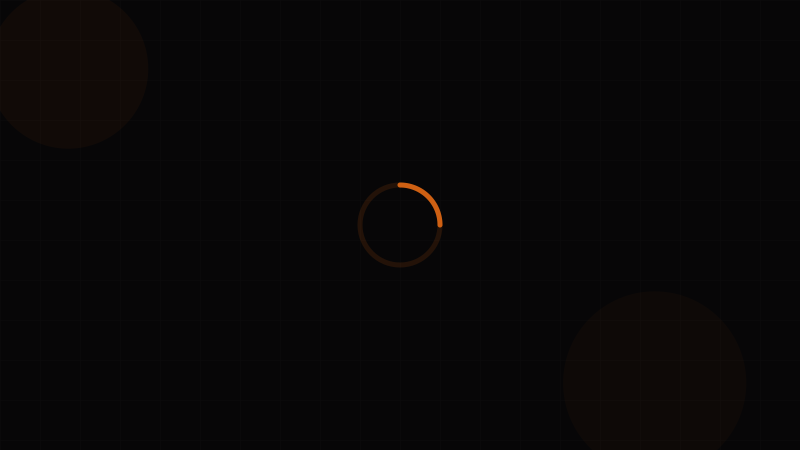
The Spinner (also called a loading spinner, activity indicator, or throbber) is a feedback component that communicates an ongoing, indeterminate process — something is happening, but we can't tell you exactly when it will finish. It's the UI equivalent of "please hold."
Spinners are the most common loading pattern on the web, and also the most overused. A spinner tells the user absolutely nothing about progress, duration, or what's being loaded. It's a last resort when you genuinely have no progress data. When you do have progress information, a Progress Bar is always superior. When you know the shape of the content being loaded, a Skeleton provides better perceived performance.
Despite this, spinners remain indispensable for short-duration, unpredictable operations: submitting a form, checking authentication, fetching a small API response, or processing a payment.
When to use a Spinner:
- Short operations (1–5 seconds) where progress can't be measured
- Button loading states (submitting a form, processing payment)
- Inline loading within a small region (refreshing a single card, loading a dropdown's options)
- Overlay loading when the entire page or modal is blocked
- Lazy-loading components before their skeleton shape is known
When NOT to use a Spinner:
- When you have quantifiable progress — use a Progress Bar
- When you know the layout of incoming content — use a Skeleton
- For full-page initial loads — use a skeleton screen for better perceived performance
- For operations under 300ms — showing and immediately hiding a spinner is worse than no indicator at all. Apply a delay.
- For long operations (> 10 seconds) — spinners without context create anxiety. Add a message, use a progress bar, or show a skeleton.
Design your spinner's animation curve with the Animation & Easing Tool. Use the Contrast Checker to verify the spinner is visible against its background, and explore the Loader Generator for ready-made spinner patterns.
Variants
Animation Variants
| Variant | Visual Description | Common In |
|---|---|---|
| Circular / Ring | An arc that rotates continuously. Usually 270° of a circle. | Material Design, most modern systems |
| Dots | 3–4 dots pulsing, bouncing, or fading in sequence. | iOS-style, chat "typing" indicators |
| Bar / Line | Short bars rotating or pulsing around a center point. | Classic "activity indicator" (macOS, iOS) |
| Ring with Gap | Full circle border with one segment highlighted, rotating. | Ant Design, Chakra UI |
| Dual Ring | Two concentric rings rotating in opposite directions. | High-tech, dashboard UIs |
| Pulse | A single shape (circle or dot) that scales up and fades out repeatedly. | Minimal designs, skeleton transitions |
| Bounce | Three dots or elements bouncing in sequence with staggered timing. | Friendly, consumer-facing products |
Context Variants
| Variant | Placement | Use Case |
|---|---|---|
| Inline | Inside a text flow or next to a label. 16–20px. | "Loading results…" with spinner next to text |
| Button | Inside a Button, replacing or preceding the label. | Form submission, "Save" actions |
| Overlay | Centered over a region or the full page with a semi-transparent backdrop. | Full-page loading, modal content loading |
| Card / Section | Centered within a Card or content area. | Individual content regions refreshing |
| Input | Inside a Text Input or Select field. | Async validation, search-as-you-type |
Size Variants
| Size | Diameter | Use Case |
|---|---|---|
| xs | 12–16px | Inside inputs, inline text, table cells |
| sm | 20–24px | Inside buttons, badges, compact UI |
| md | 32–40px | Default standalone, card loading |
| lg | 48–64px | Section or page-level loading |
| xl | 80–120px | Full-page overlay, splash screens |
Properties
Spinner Properties
| Property | Type | Default | Description |
|---|---|---|---|
size | 'xs' | 'sm' | 'md' | 'lg' | 'xl' | number | 'md' | Spinner diameter. Number for exact pixel size. |
variant | 'circular' | 'dots' | 'bars' | 'pulse' | 'circular' | Animation style |
color | string | 'currentColor' | Spinner color. Inherits text color by default. |
trackColor | string | 'transparent' | Color of the inactive ring portion |
thickness | number | 3 | Stroke width of the ring (for circular variant) |
speed | 'slow' | 'normal' | 'fast' | 'normal' | Animation duration (slow: 1.2s, normal: 0.8s, fast: 0.5s) |
label | string | — | Visible text displayed alongside the spinner |
delay | number | 0 | Milliseconds to wait before showing the spinner (prevents flash for fast loads) |
overlay | boolean | false | Renders a semi-transparent backdrop behind the spinner |
aria-label | string | 'Loading' | Accessible label. Always provide a meaningful description. |
Important: The delay prop. Always add a delay of 300–500ms before showing a spinner. If the operation completes within that window, the user never sees the spinner (which is ideal — flashing a spinner for 100ms is disorienting). This single prop eliminates the most common spinner UX problem.
Token Mappings
Design Token Mappings
Spinners are visually simple but touch color, motion, and sizing tokens. For token architecture fundamentals, see the Design Tokens Complete Guide.
| Token Category | Token Example | Spinner Usage |
|---|---|---|
| Color | currentColor / --color-primary-500 | Spinner stroke or fill color |
| Color – Track | --color-neutral-200 | Inactive portion of ring spinners |
| Color – Overlay BG | --color-overlay (rgba(0,0,0,0.4)) | Background when overlay={true} |
| Size | --size-4 / --size-8 / --size-12 | Spinner diameter per size variant |
| Border Width | --border-width-2 / --border-width-3 | Ring stroke thickness |
| Animation Duration | --duration-slow (1.2s) | Rotation cycle duration |
| Animation Timing | --ease-linear | Rotation uses linear timing; acceleration on the arc uses ease-in-out. Preview with Animation & Easing Tool. |
| Z-Index | --z-overlay | Z-index for overlay spinners |
| Spacing | --space-2 / --space-3 | Gap between spinner and label text |
States
Spinner States
Spinners are stateless animations — they don't have hover, focus, or active states like interactive components. Their "state" is defined by their presence and context:
| State | Behavior | Implementation |
|---|---|---|
| Hidden | Spinner is not rendered. Operation hasn't started or completed within delay window. | Conditionally render. Don't use visibility: hidden or opacity: 0 — fully remove from DOM and accessibility tree. |
| Delayed | Timer running but spinner not yet visible. | Use setTimeout or CSS animation-delay to prevent flash-of-spinner for fast operations. |
| Spinning | Actively animating. Accessible label being announced. | Render with role="status" and aria-label. Set aria-busy="true" on the content region being loaded. |
| With Label | Spinning alongside a text message ("Loading your dashboard…"). | Visually and semantically pair the label with the spinner. |
| Overlay | Spinner centered over a backdrop that dims and blocks the underlying content. | Backdrop should trap pointer events (pointer-events: all). Content behind should have aria-busy="true". |
| Completed | Spinner transitions to a success checkmark or simply disappears. | Animate out (fade/scale) rather than disappearing abruptly. Optional: morph into a ✓ icon for 1–2 seconds. |
The Spinner Lifecycle
For the best user experience, follow this lifecycle:
- Operation starts → Start delay timer (300ms)
- Delay expires, still loading → Fade spinner in (150ms)
- Operation completes → Fade spinner out (150ms) or morph to checkmark
- Operation fails → Replace spinner with error state or Alert
This prevents flash-of-spinner and ensures smooth transitions. Preview fade animations with the Animation & Easing Tool.
Accessibility
Accessibility — Spinner
Spinners present a unique accessibility challenge: they're purely visual animations, so without proper ARIA semantics, screen reader users have no idea something is loading. Verify spinner visibility with the Contrast Checker.
ARIA Pattern
<!-- Standalone spinner with label -->
<div role="status" aria-label="Loading search results">
  <svg class="spinner" aria-hidden="true"><!-- animated ring --></svg>
  <span class="sr-only">Loading search results</span>
</div>

<!-- Content region with spinner -->
<div aria-busy="true" aria-describedby="loading-msg">
  <div role="status" id="loading-msg">
    <svg class="spinner" aria-hidden="true"></svg>
    Loading your dashboard…
  </div>
</div>
Key points:
- Use
role="status"(implicitaria-live="polite") so the loading message is announced without interrupting the user - Mark the SVG/animation as
aria-hidden="true"— screen readers should read the text, not try to describe the animation - Set
aria-busy="true"on the container whose content is loading — this tells AT that the region is updating
WCAG Success Criteria
| Criterion | Level | Requirement for Spinners |
|---|---|---|
| 1.1.1 Non-text Content (A) | A | The visual spinner must have a text alternative. Use aria-label or visible label text. |
| 1.3.1 Info and Relationships (A) | A | Use role="status" to convey that this element communicates a loading state. |
| 1.4.1 Use of Color (A) | A | Don't rely on the spinner's color alone to communicate meaning. Pair with text labels. |
| 1.4.11 Non-text Contrast (AA) | AA | The spinner's visible arcs/dots must have at least 3:1 contrast against their background. A light gray spinner on white fails. Use the Contrast Checker. |
| 2.2.1 Timing Adjustable (A) | A | If a spinner is tied to a timeout (e.g., "Request will time out in 30 seconds"), provide a way to extend the time. |
| 2.3.1 Three Flashes or Below Threshold (A) | A | Spinner animations must not flash more than 3 times per second. Most rotation-based spinners naturally comply; be careful with rapid dot/pulse animations. |
| 4.1.3 Status Messages (AA) | AA | Loading state changes must be programmatically determinable. role="status" satisfies this — the content is announced as a live region update. |
Motion Sensitivity
Some users experience motion sickness or distraction from continuous animations. Respect the prefers-reduced-motion media query:
@media (prefers-reduced-motion: reduce) {
  .spinner {
    animation: none;
    /* Show a static icon or pulsing opacity instead */
    opacity: 0.7;
  }
}
This is particularly important for large overlay spinners that dominate the viewport. WCAG 2.3.3 (Animation from Interactions, AAA) recommends this approach.
Usage Guidelines
Do
- Always include a delay (300–500ms) before showing the spinner. If the operation is faster, the user never sees it — which is the ideal experience.
- Provide a text label whenever possible. "Loading" is better than nothing, but "Loading search results…" is better than "Loading."
- Use the smallest appropriate size. A button spinner should be xs/sm, not a massive lg spinner crammed into a 40px button.
- Set
aria-busy="true"on the content region being loaded, not on the spinner itself. - Respect
prefers-reduced-motion. Replace continuous rotation with a gentle pulse or static indicator. - Remove spinners completely when loading finishes — don't just hide them visually. Remove from DOM and accessibility tree.
- Use
currentColorfor the spinner color so it automatically adapts to its text context (dark text = dark spinner, light text = light spinner).
Don't
- Don't use a spinner when you have progress data. Use a Progress Bar.
- Don't use a spinner when you know the content shape. Use a Skeleton.
- Don't stack multiple spinners in the same view. One loading state per visible region. If the whole page is loading, use one overlay spinner or a skeleton screen.
- Don't use spinners for operations over 10 seconds without additional context. After 10 seconds, users wonder if something is broken. Add "This may take a few moments…" or switch to a progress bar.
- Don't block the entire page unless absolutely necessary. Prefer inline or section spinners that allow the user to interact with other parts of the UI.
- Don't animate at framerates that cause flashing. WCAG 2.3.1 prohibits content that flashes more than 3 times per second.
- Don't use a spinner as a permanent state. If loading fails, transition to an error state or Empty State.
Performance Considerations
Spinners should be lightweight:
- Prefer CSS animations over JavaScript-driven ones (CSS animations run on the compositor thread)
- Use
transform: rotate()notborder-coloranimations for GPU acceleration - SVG spinners are resolution-independent and typically smaller than GIF/Lottie alternatives
- Explore optimized spinner patterns in the Loader Generator
Code Snippets
<!-- Basic CSS Spinner -->
<div role="status" aria-label="Loading">
  <div class="spinner" aria-hidden="true"></div>
  <span class="sr-only">Loading</span>
</div>

<!-- Spinner with visible label -->
<div class="spinner-container" role="status">
  <div class="spinner" aria-hidden="true"></div>
  <span class="spinner-label">Loading search results…</span>
</div>

<!-- Overlay Spinner -->
<div class="spinner-overlay" role="status" aria-label="Loading page content">
  <div class="spinner spinner--lg" aria-hidden="true"></div>
</div>

<!-- Button with Spinner -->
<button class="btn btn-primary" disabled aria-busy="true">
  <div class="spinner spinner--xs" aria-hidden="true"></div>
  Submitting…
</button>

<style>
  .spinner {
    width: 32px;
    height: 32px;
    border: 3px solid var(--color-neutral-200);
    border-top-color: var(--color-primary-500);
    border-radius: 50%;
    animation: spin 0.8s linear infinite;
  }
  .spinner--xs { width: 16px; height: 16px; border-width: 2px; }
  .spinner--lg { width: 64px; height: 64px; border-width: 4px; }

  @keyframes spin {
    to { transform: rotate(360deg); }
  }

  .spinner-container {
    display: flex;
    align-items: center;
    gap: 8px;
  }

  .spinner-overlay {
    position: fixed;
    inset: 0;
    display: flex;
    align-items: center;
    justify-content: center;
    background: rgba(0, 0, 0, 0.4);
    z-index: 9999;
  }

  .sr-only {
    position: absolute;
    width: 1px; height: 1px;
    padding: 0; margin: -1px;
    overflow: hidden;
    clip: rect(0, 0, 0, 0);
    white-space: nowrap;
    border: 0;
  }

  @media (prefers-reduced-motion: reduce) {
    .spinner {
      animation: none;
      border-color: var(--color-primary-500);
      opacity: 0.7;
    }
  }
</style>import { forwardRef, useEffect, useState } from "react";
interface SpinnerProps {
size?: "xs" | "sm" | "md" | "lg" | "xl" | number;
color?: string;
trackColor?: string;
thickness?: number;
speed?: "slow" | "normal" | "fast";
label?: string;
delay?: number;
overlay?: boolean;
className?: string;
}
const sizeMap = { xs: 16, sm: 24, md: 32, lg: 48, xl: 80 };
const speedMap = { slow: "1.2s", normal: "0.8s", fast: "0.5s" };
export const Spinner = forwardRef<HTMLDivElement, SpinnerProps>(
(
{
size = "md",
color = "currentColor",
trackColor = "var(--color-neutral-200)",
thickness = 3,
speed = "normal",
label,
delay = 0,
overlay = false,
className,
...props
},
ref
) => {
const [visible, setVisible] = useState(delay === 0);
useEffect(() => {
if (delay > 0) {
const timer = setTimeout(() => setVisible(true), delay);
return () => clearTimeout(timer);
}
}, [delay]);
if (!visible) return null;
const d = typeof size === "number" ? size : sizeMap[size];
const spinner = (
<div
ref={ref}
role="status"
aria-label={label ?? "Loading"}
className={className}
style={{
display: "inline-flex",
alignItems: "center",
gap: 8,
}}
{...props}
>
<div
aria-hidden="true"
style={{
width: d,
height: d,
border: `${thickness}px solid ${trackColor}`,
borderTopColor: color,
borderRadius: "50%",
animation: `spin ${speedMap[speed]} linear infinite`,
}}
/>
{label && <span>{label}</span>}
</div>
);
if (overlay) {
return (
<div
style={{
position: "fixed",
inset: 0,
display: "flex",
alignItems: "center",
justifyContent: "center",
background: "rgba(0,0,0,0.4)",
zIndex: 9999,
}}
>
{spinner}
</div>
);
}
return spinner;
}
);
Spinner.displayName = "Spinner";Design Systems
Design System Implementations
Material Design 3 uses the CircularProgressIndicator component for both spinners and circular progress bars. In indeterminate mode, Material's animation is distinctive: the arc length oscillates between short and long while simultaneously rotating, creating a "breathing" effect that feels more organic than a simple rotation. Material also specifies exact animation curves: the rotation uses linear timing, while the arc sweep uses a custom cubic-bezier. This is a great example to study in the Animation & Easing Tool.
Apple's Human Interface Guidelines call this an "Activity Indicator." On iOS, it's the iconic set of 8 or 12 rounded bars arranged in a circle, each fading in sequence. This design is intentionally ambiguous about direction and speed — Apple's philosophy is that indeterminate loading should feel calm, not urgent. On macOS, the "spinning beach ball" cursor is the system-level equivalent (and universally dreaded).
Ant Design provides a Spin component that wraps content, automatically adding a blur/dim effect and centering the spinner over the wrapped region. It supports tip for label text, size (small/default/large), and a delay prop measured in milliseconds. The indicator prop lets you replace the default spinner with any custom animation — a useful escape hatch.
Chakra UI's Spinner is a styled <div> using border and border-top-color with a CSS rotation animation — the simplest possible implementation. It supports emptyColor (track), color (active arc), thickness, speed, and size. It uses role="status" with a visually hidden "Loading…" text for accessibility.
Shadcn/ui provides a minimal SVG-based spinner using Lucide's Loader2 icon with a CSS rotation animation. It's just an icon with animate-spin — about as simple as a spinner can get.
Bootstrap uses a border-based spinner (.spinner-border) and a "growing" variant (.spinner-grow) that pulses. It provides .spinner-border-sm for button contexts and uses role="status" with .visually-hidden text.
For custom spinner patterns with optimized CSS animations, explore the Loader Generator. Preview animation timing functions in the Animation & Easing Tool.